
Moku Camera Store
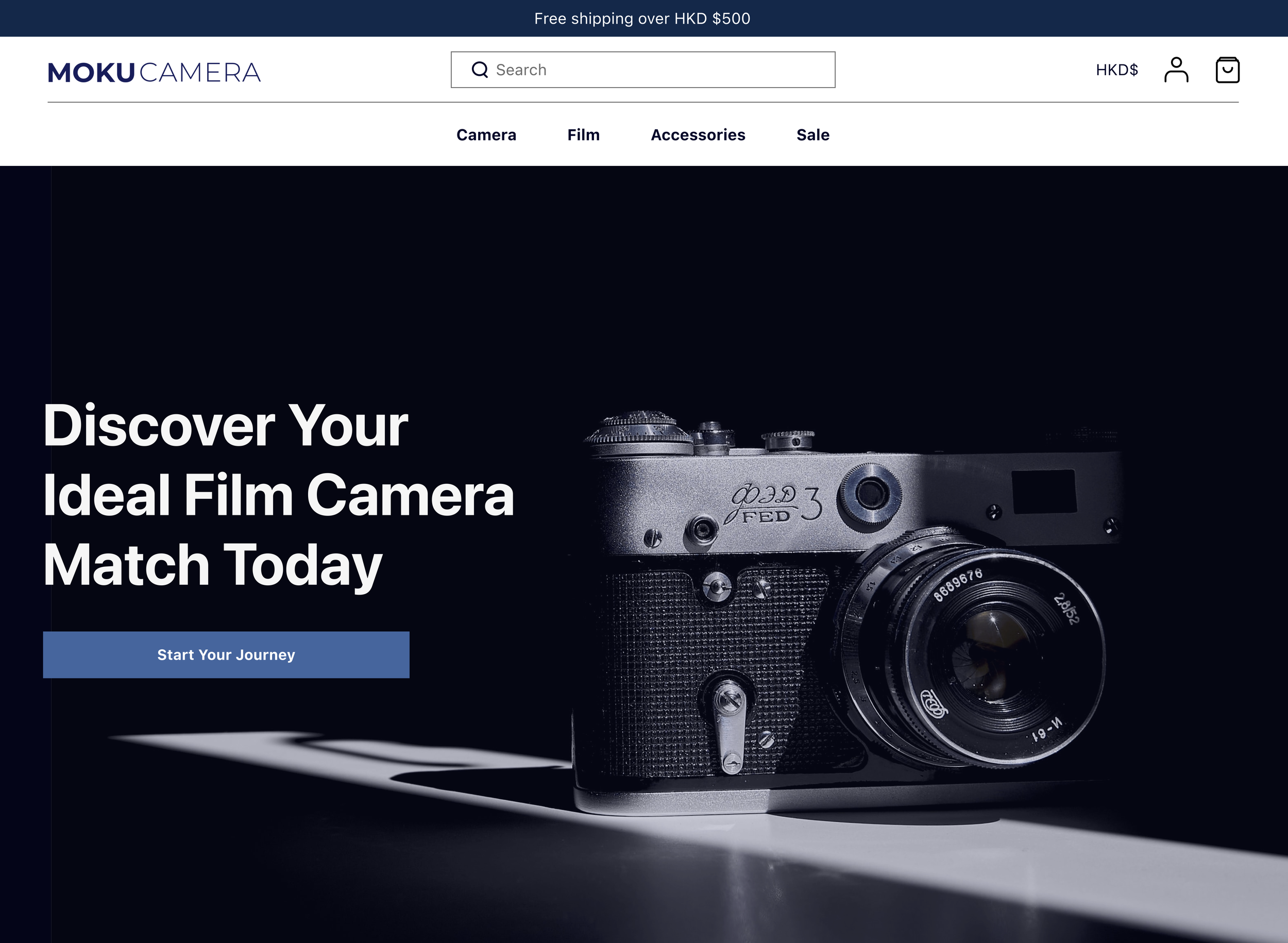
E-commerce website for a film camera business
Role
Team
Solo Project
UXUI Designer
Duration
Tools
4 Weeks
Figma, Adobe XD
Overview
“Moku camera” is a custom-designed e-commerce platform created to sell film cameras and accessories for my small business. I designed this website to address the limitations of existing selling platforms and provide a seamless, customer-focused shopping experience.
Research and Problems
While selling film cameras through Carousell/Instagram, I noticed recurring customer frustrations and pain points. These issues led customers to be dissatisfied and confused. Existing platforms didn’t allow me to tailor the experience to my target audience — film photography beginners—prompting me to design a dedicated e-commerce solution.
Problem 1 : Lack of the technical knowledge to choose products
Problem 2 : Users felt overwhelmed by excessive options
Problem 3 : Customers heavily rely on reviews to make informed decisions
Design Iteration
Problem 1
Product Knowledge
New film camera users lack of the technical knowledge to choose products that best suit their needs, leading to decision paralysis and a poor user experience.
Solution 1: To simplify the decision-making process, I designed an interactive camera recommendation tool.This tool guides users through a series of simple questions about their photography experience, preferred shooting style, and budget. Based on their responses, the system suggests the most suitable cameras
∙ Reducing complexity and helping users to make confident choices of products.
Problem 2
Difficult Navigation
Users felt overwhelmed by the excessive options of the film camera items, which made it difficult for them to navigate and find the right camera, leading to frustration and decision paralysis.
Solution 2: I implemented a two-column layout to improve organisation and usability. The left column was dedicated to a filter function, allowing users to easily narrow down options by categories such as price, brand, features, and customer ratings.
∙ Streamlined the browsing experience and reduced cognitive overload.
Problem 3
Review Focused
Customers heavily rely on reviews to make informed decisions when purchasing film cameras. If the review section is not prominently displayed, it’s difficult for users to access and evaluate feedback.
Solution 3: Prioritise the review section by placing it directly below the camera description. This ensures that users can easily access and read reviews without further scrolling or navigating to a separate page
∙ Creating a seamless shopping experience and reduces decision anxiety.
Takeaways
User-Centric Tool Design - Designing the interactive camera recommendation tool for Moku Camera taught me that e-commerce websites must tailor layouts and functions to their products’ unique demands. Since film cameras require technical knowledge to choose, I created a system guiding users through simple questions to deliver personalised suggestions. This helps beginners feel less overwhelmed and more confident, showing how focused, user-friendly features can make a big difference compared to standard e-commerce setups.
Review Placement Enhances Trust - Recognising that film camera customers heavily rely on reviews to make informed decisions. For Moku Camera, I prioritised the review section by placing it at the top of the product page. This positioning catered to their focus, fostering trust and confidence, unlike other businesses where reviews may be less critical and better suited lower on the page.